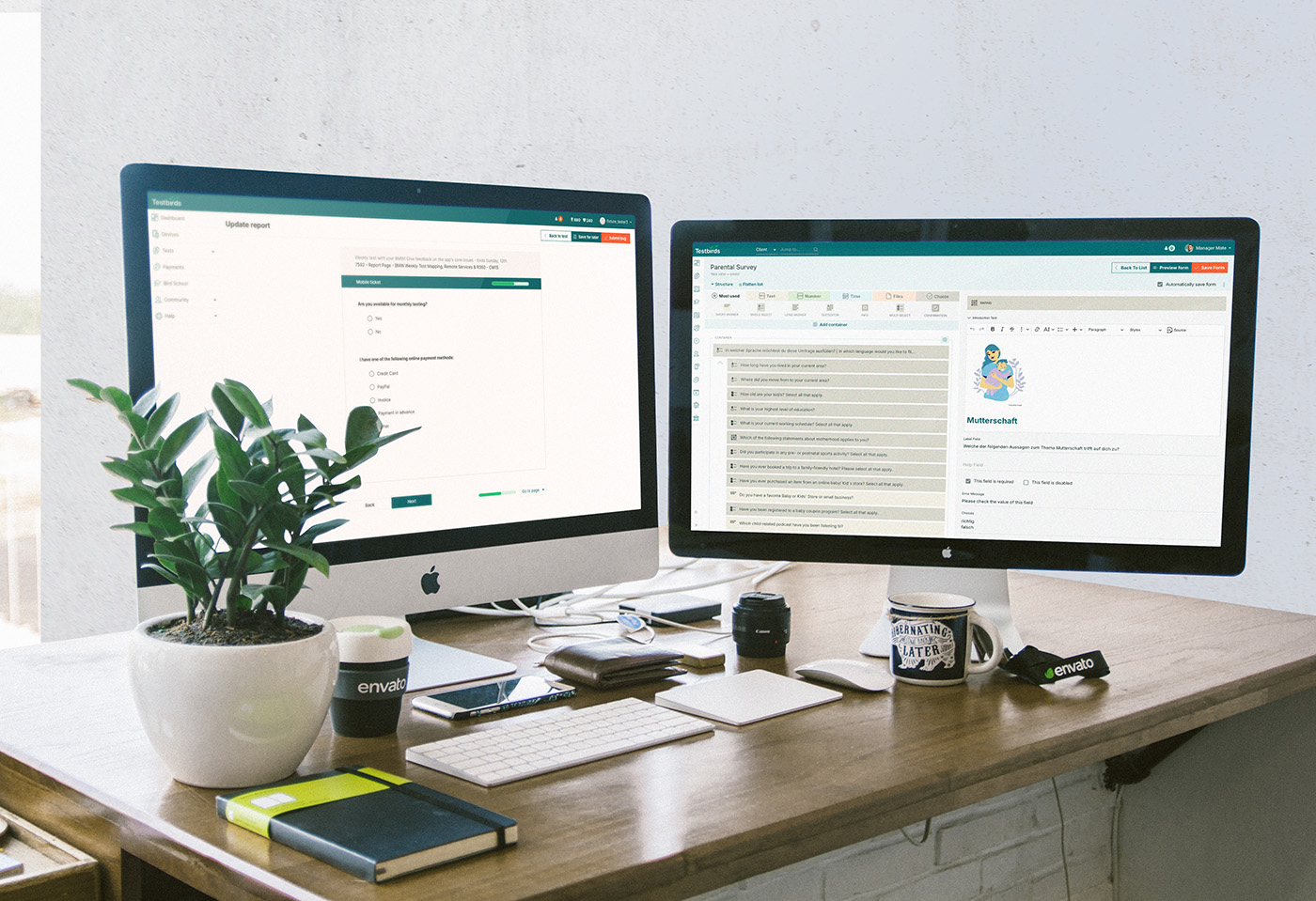
At our software testing company, project managers (PMs) rely on the Form Builder to create structured surveys for user testing. These surveys help clients gather insights on the usability of their digital products. However, the existing tool, built on outdated technology, presented significant usability challenges, slowing down the survey creation process. I was working on the redesign of the Form Builder. Its technology had to be modernized while ensuring backward compatibility and an improved workflow for PMs.
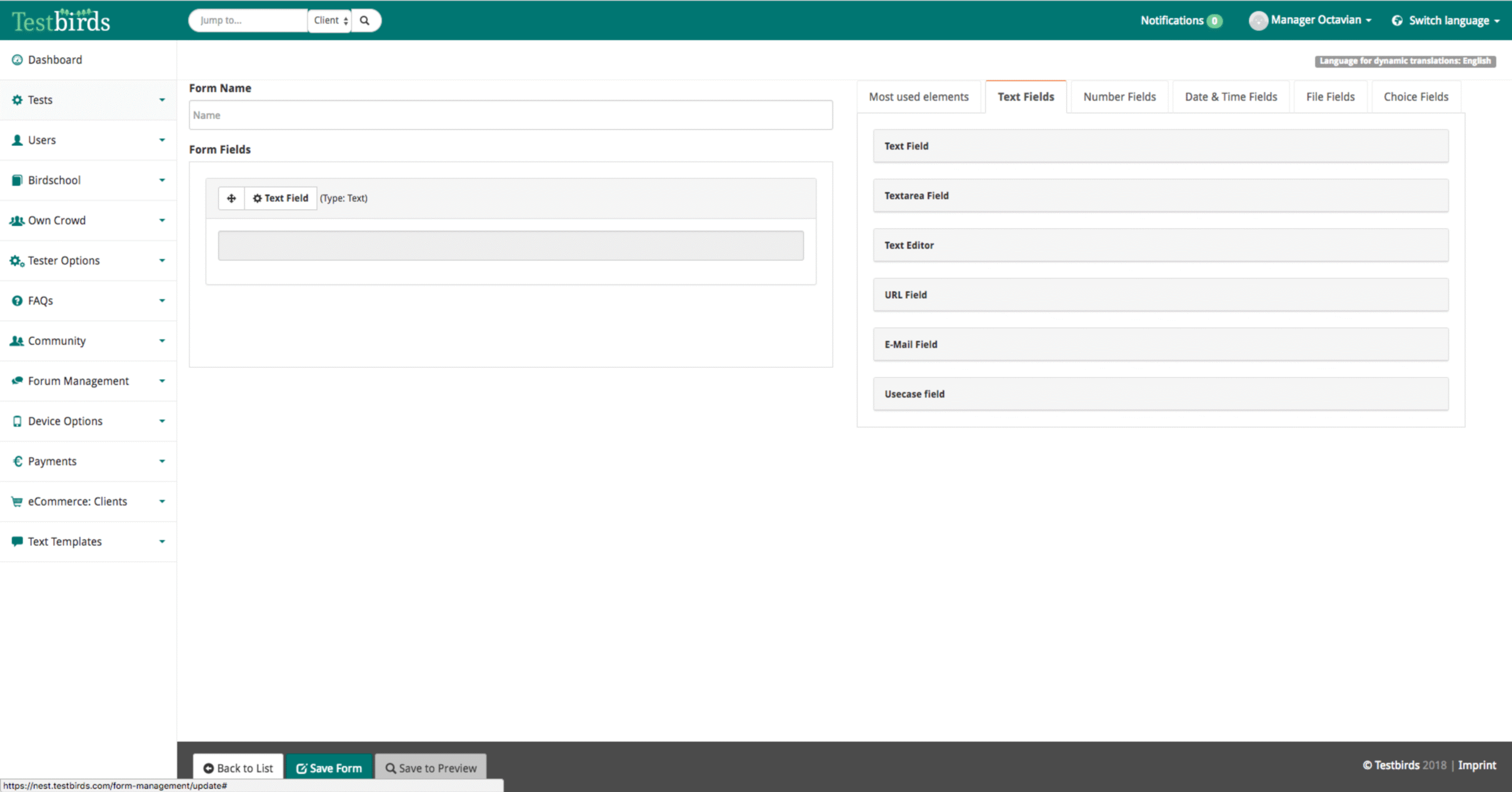
Before
Old List
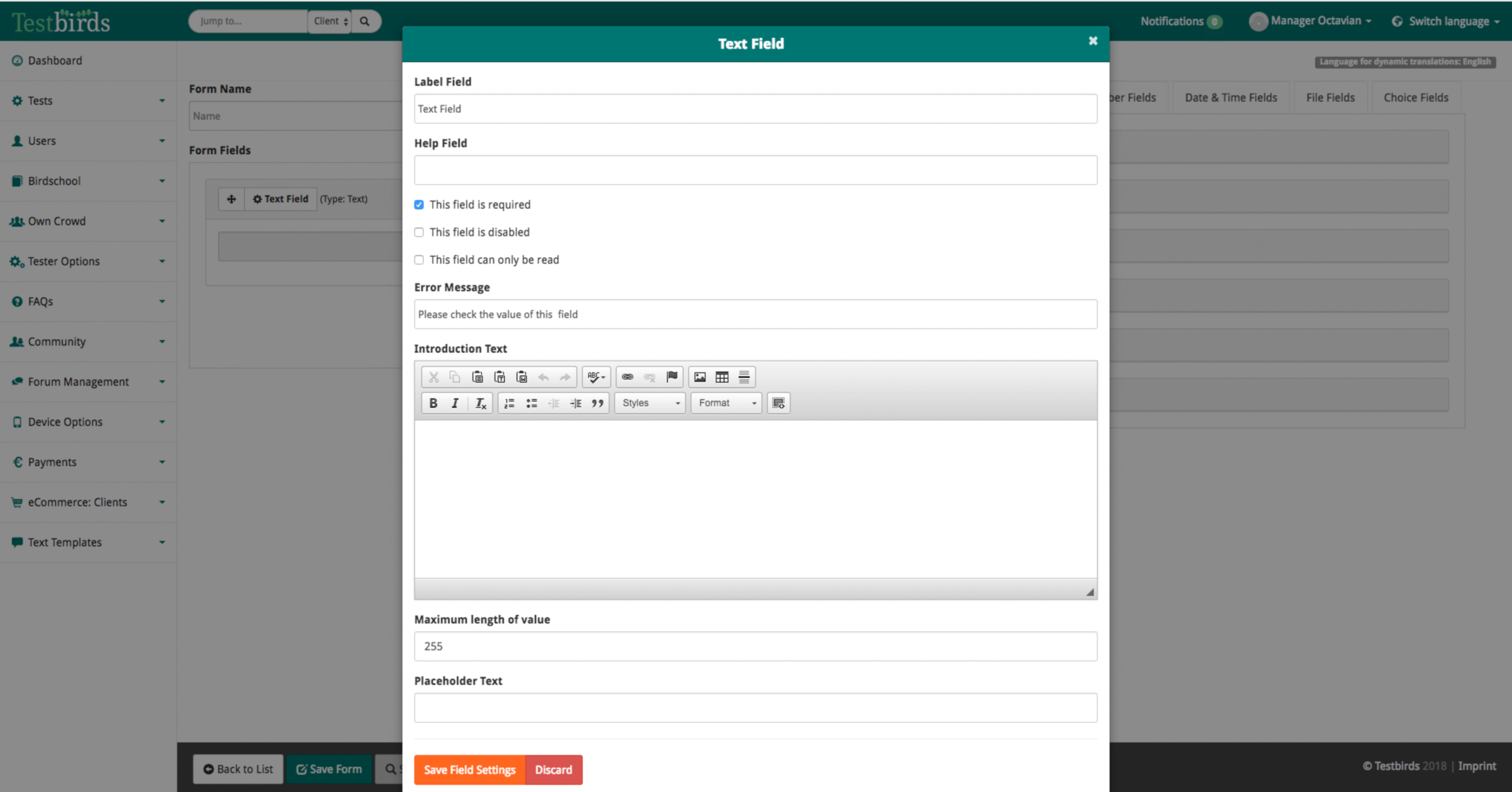
Old Edit Modal
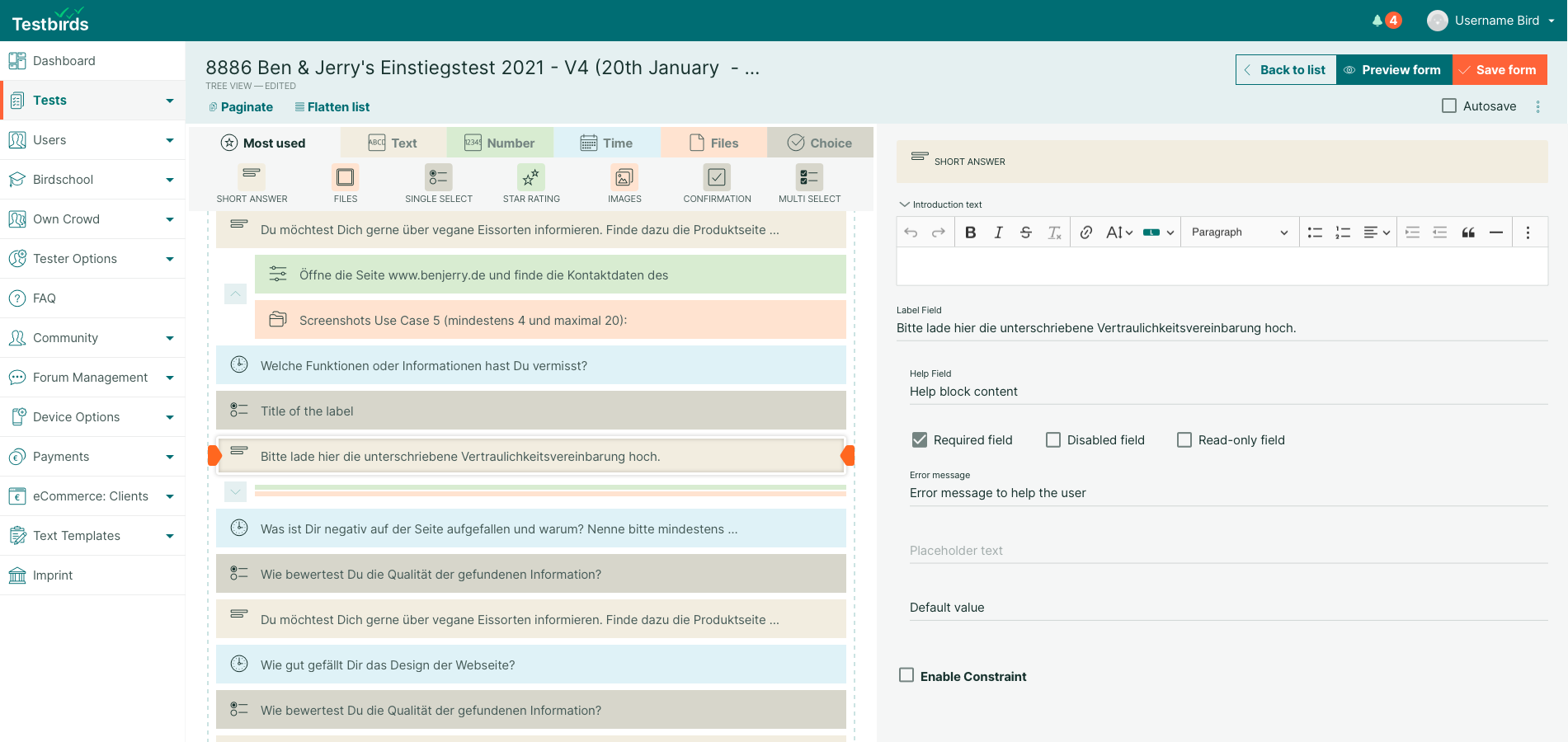
After
New Solution
Problem Statement & Background
Given the importance of the Form Builder in daily operations, the redesign needed to be intuitive, fully functional from day one, and seamlessly replace the old system without disrupting workflows.
For nine years, PMs worked with a legacy tool that, while functional, had critical usability issues:
Inefficient Editing Workflow – Field editing happened in overlays, slowing down the process.
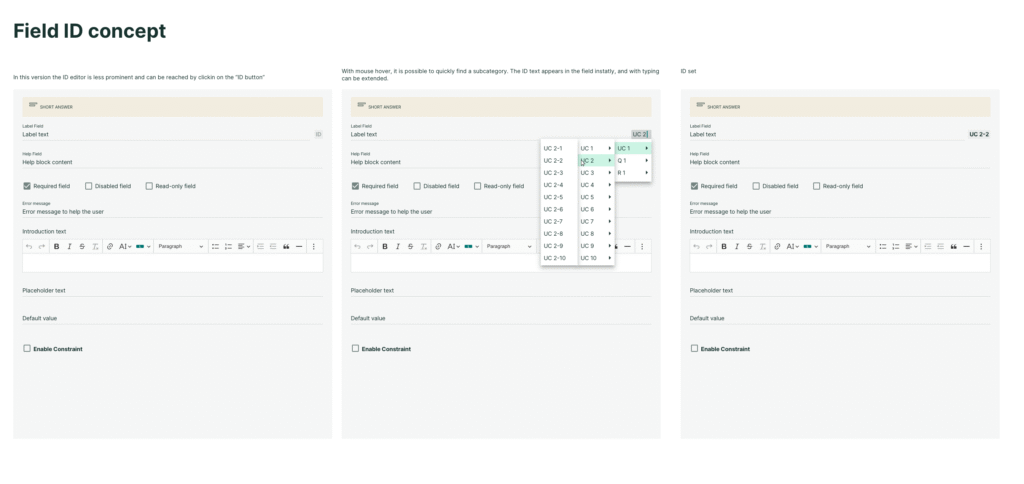
Lack of Overview & Organization – Large surveys became difficult to navigate without segmentation or note-taking options.
Outdated Interaction Model – The tool’s UX no longer meets modern usability standards, impacting efficiency.
Goals & Objectives
The project aimed to:
Streamline Survey Creation
Improve speed and efficiency for PMs.
Enhance Navigation & Organization
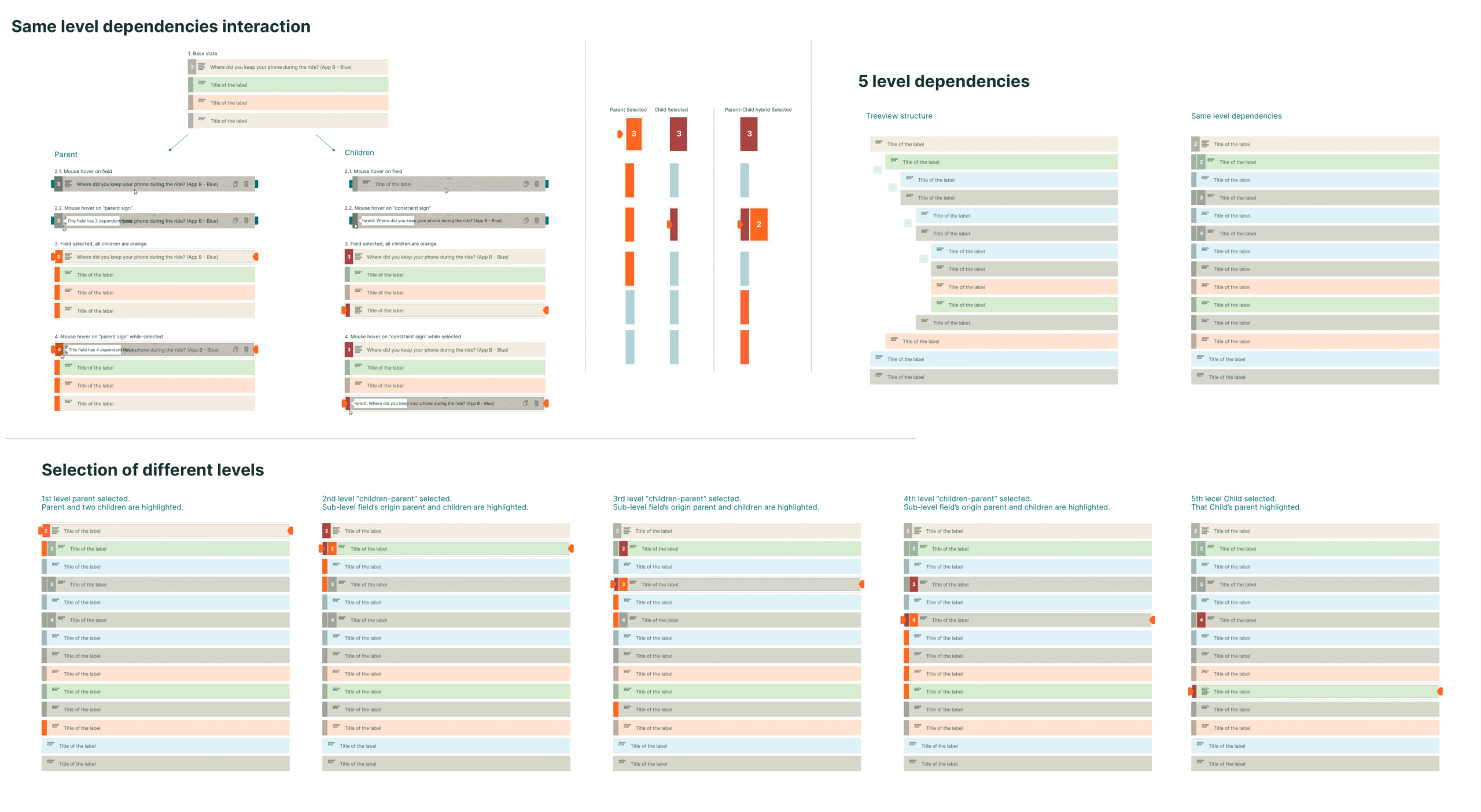
Provide clear structures and dependencies between fields.
Modernize
Introduce a more intuitive react-based interface.
Ensure Backward Compatibility
Maintain support for existing surveys.
Usabilty
Improved micro-interactions for usability.
Component Design
Organized asset library for reusable components.
Research & Discovery
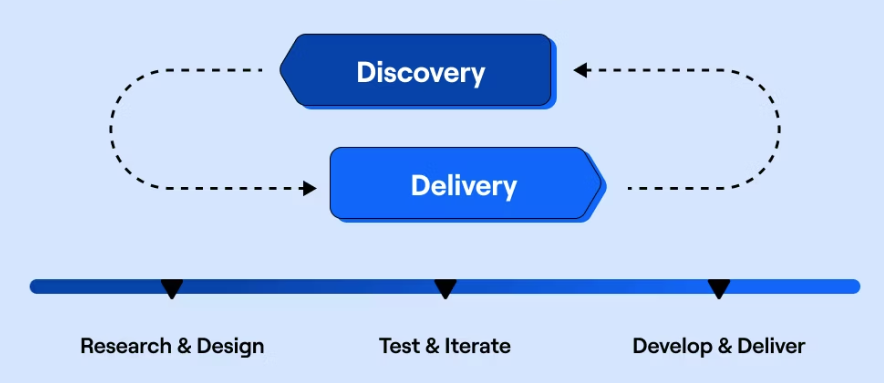
We conducted in-house workshops, unmoderated video recordings, and interviews with PMs to gather pain points and feature requests. Insights were categorized into milestones and long-term goals, guiding the redesign.
Planning & Role Consideration
From the outset, the redesign accounted for three distinct user roles, each interacting with the Form Builder in different ways:
Project Managers
The primary creators of forms. Their workflow required an efficient, organized interface for building and editing complex surveys. The design prioritized clarity in field dependencies, reusable components, and a structured layout to speed up creation.
Testers
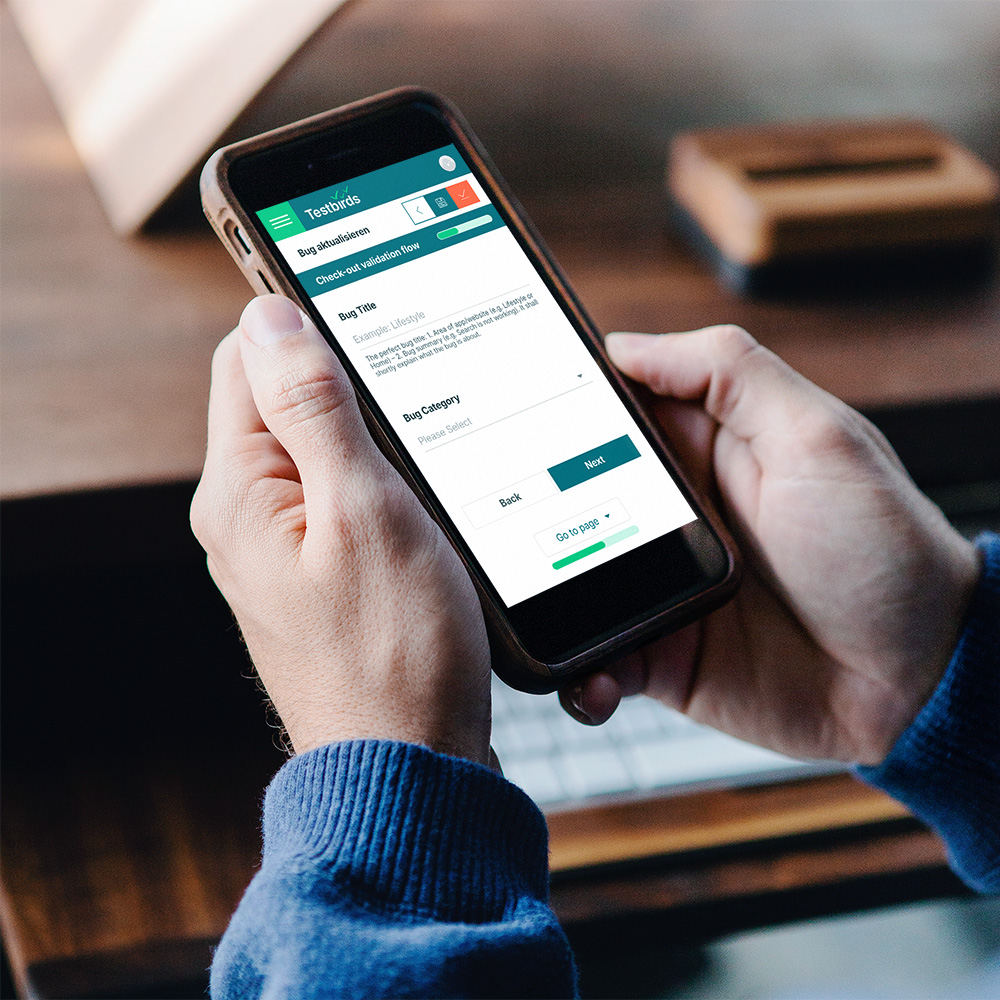
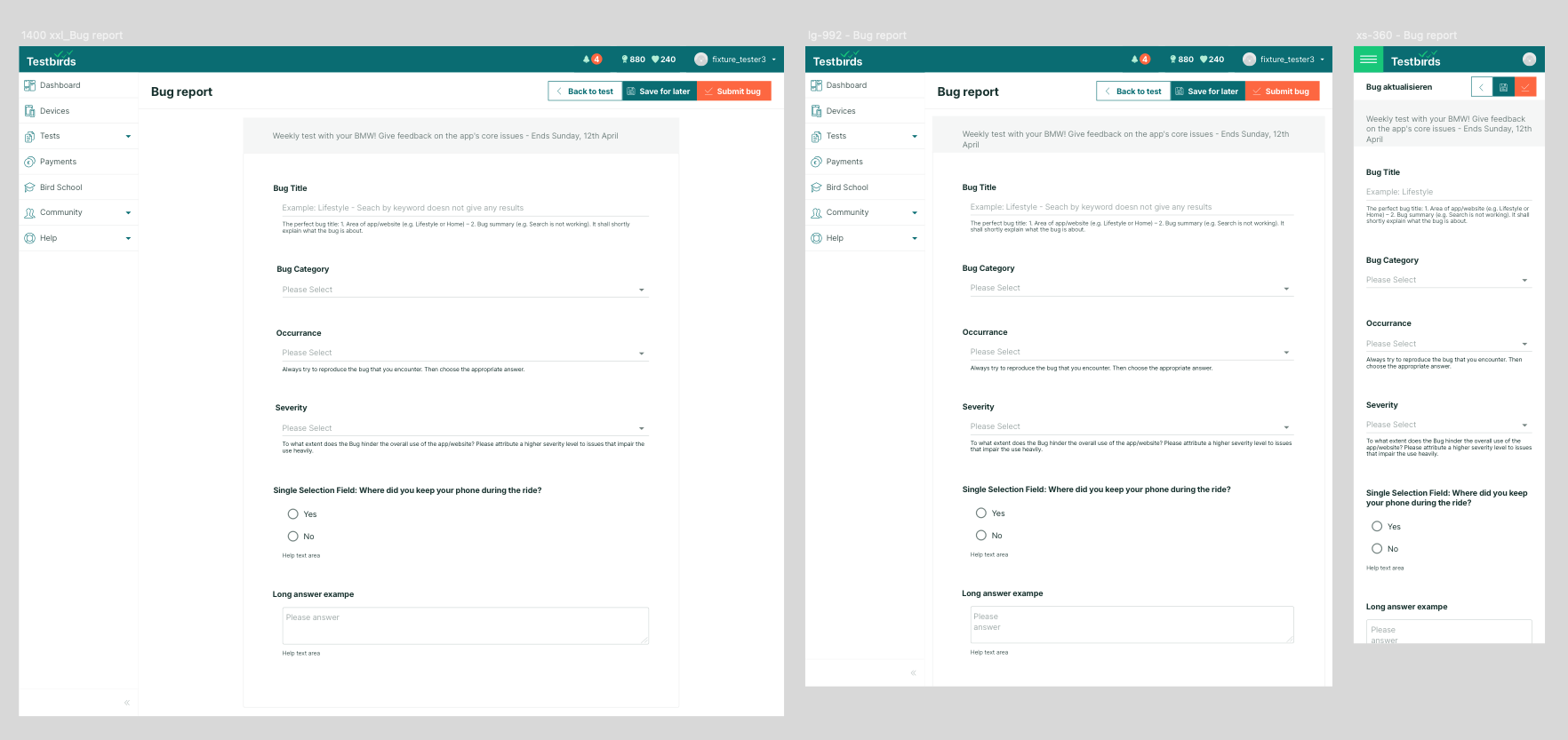
Responsible for completing forms during usability tests. They needed a responsive, mobile-friendly experience since reports are often filled out on various devices. This drove decisions around layout flexibility, spacing rhythm, and pagination for long surveys.
Clients
Consumers of the final output. They preview empty forms and review submitted reports. For them, the focus was on readability and consistency, ensuring that previews accurately reflect the final structure and that submitted data is easy to interpret.
Design Process & Challenges
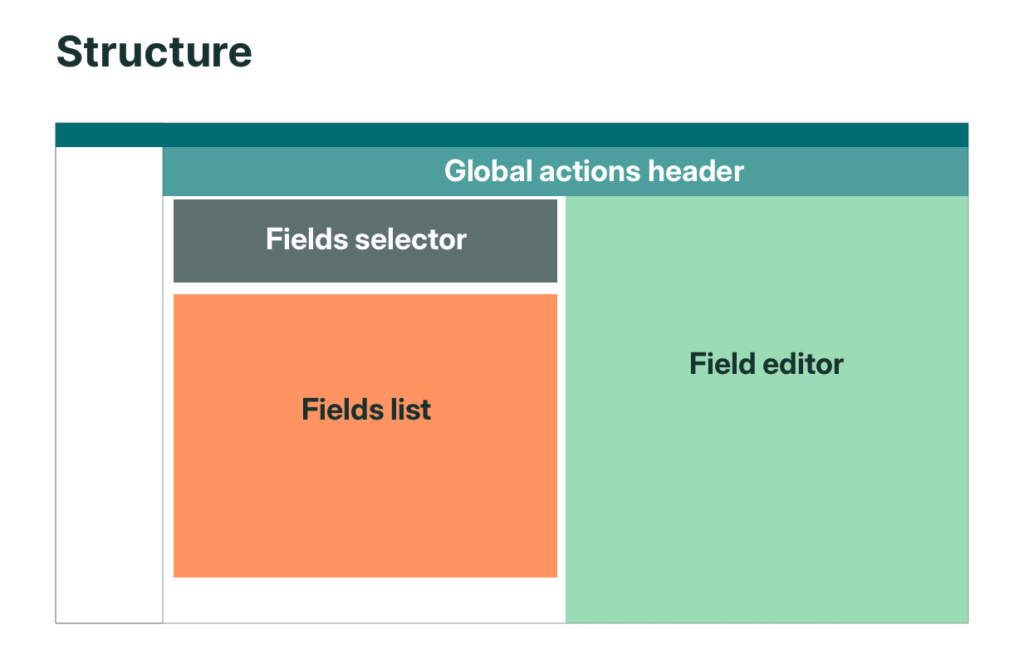
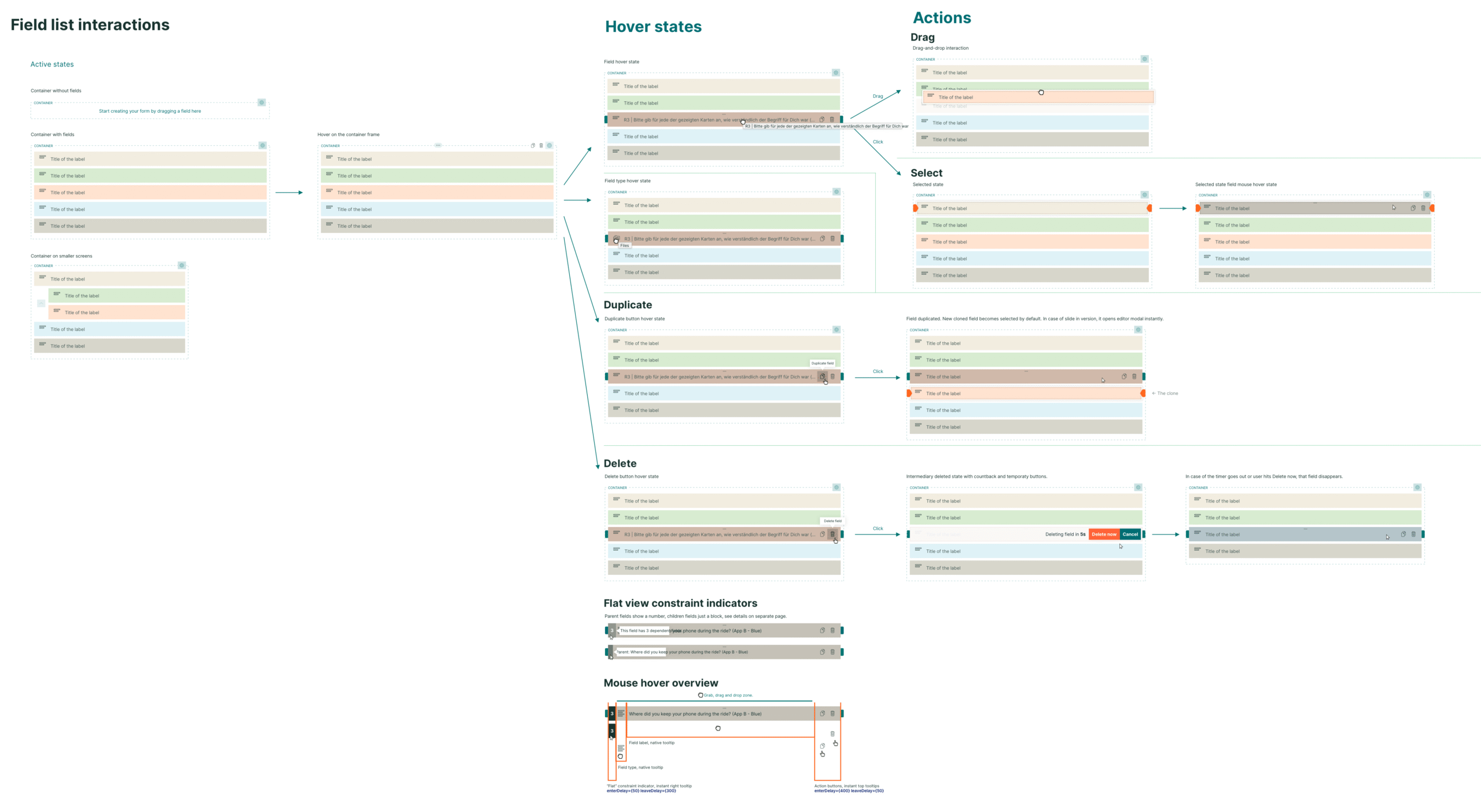
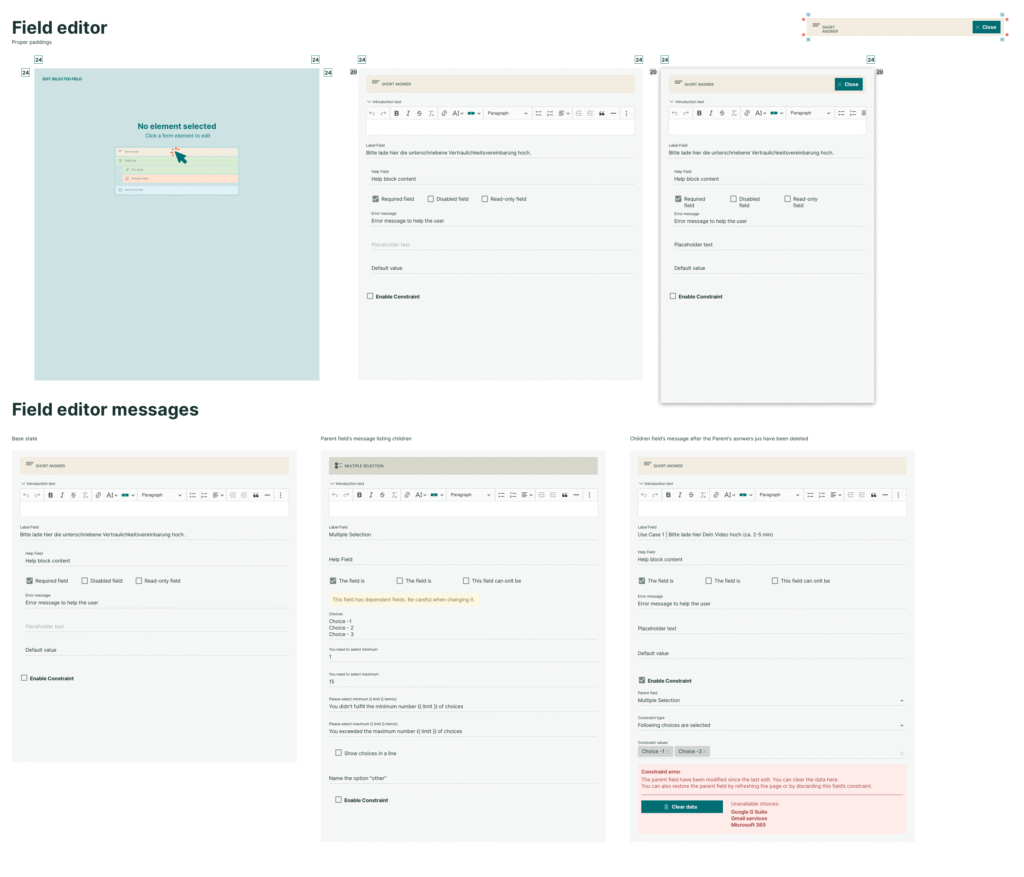
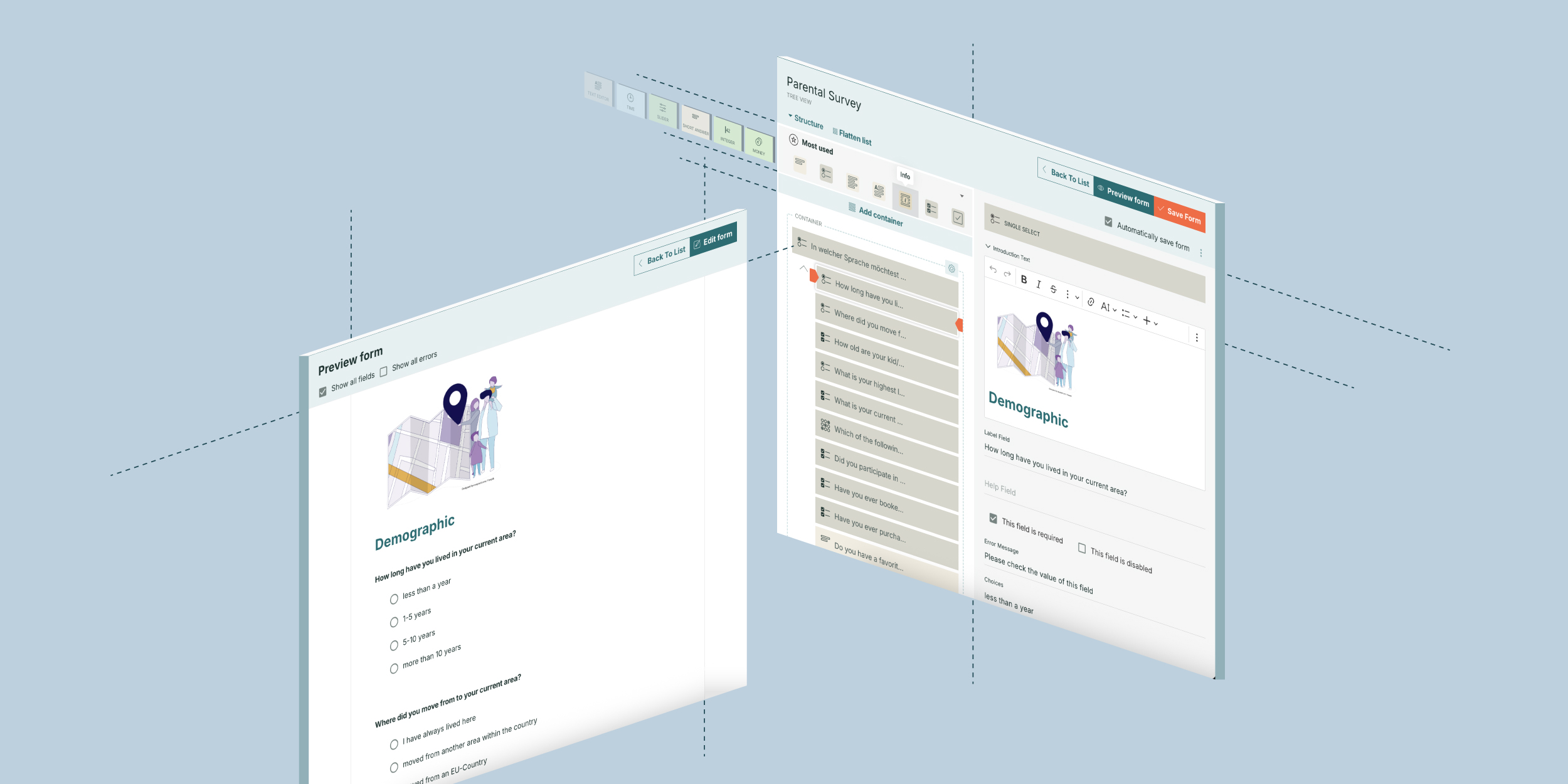
The redesign went through multiple iterations before reaching its final structure. A key decision was introducing a divided layout:
Left Panel
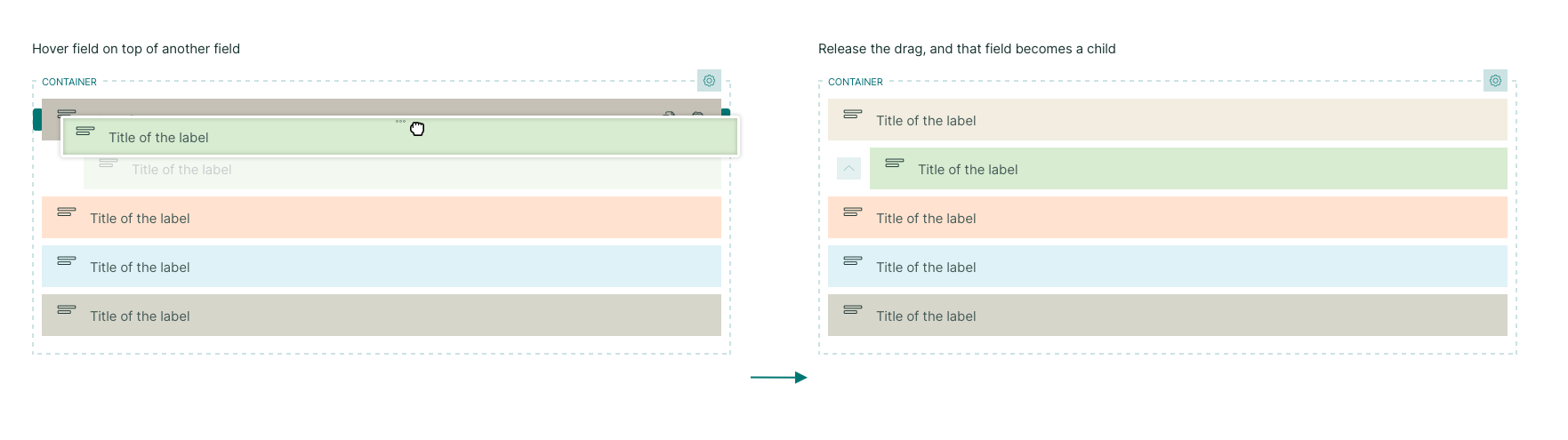
Displays a structured list of fields, allowing easy organization and grouping.
Right Panel
Provides detailed field editing options.
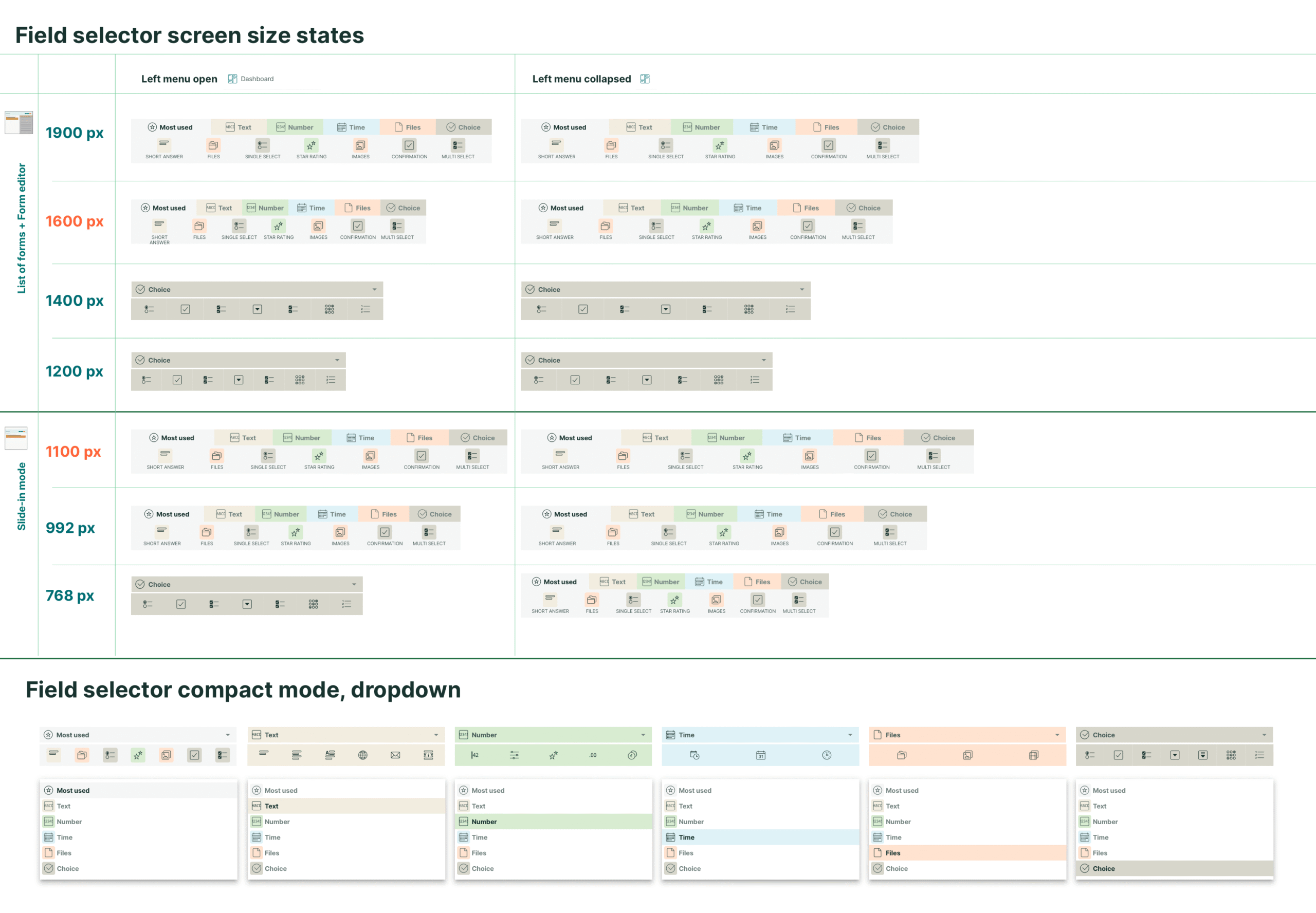
Balancing the density of control elements while maintaining clarity was one of the biggest challenges. Since this was a complex editing tool, it was optimized for laptops and widescreens, with limited mobile functionality.
Field Dependencies
A critical aspect of survey building is setting field dependencies—where selecting an option in one field determines the visibility of other fields. The redesign introduced a clear dependency structure, allowing PMs to manage complex conditional logic with ease.
Survey Structure & Responsiveness
The final output of the Form Builder is a survey that testers complete. A holistic design approach ensured that all input fields functioned seamlessly across devices. Layout adjustments, spacing rhythm, and maximum width settings improved readability and usability, especially on mobile.
Development & Implementation
Comprehensive handoff documentation detailed every use case, state, and error scenario. Due to system limitations, custom solutions were developed to prevent errors and guide users effectively.
Testing & Validation
The redesigned Form Builder underwent extensive iterative testing. Live user sessions uncovered practical usability issues, which were addressed in rapid update cycles. As the new tool improved workflow efficiency, PMs began requesting additional features, requiring careful prioritization.
Advanced Features
As the Form Builder evolved, additional features were introduced to support advanced testing methodologies:
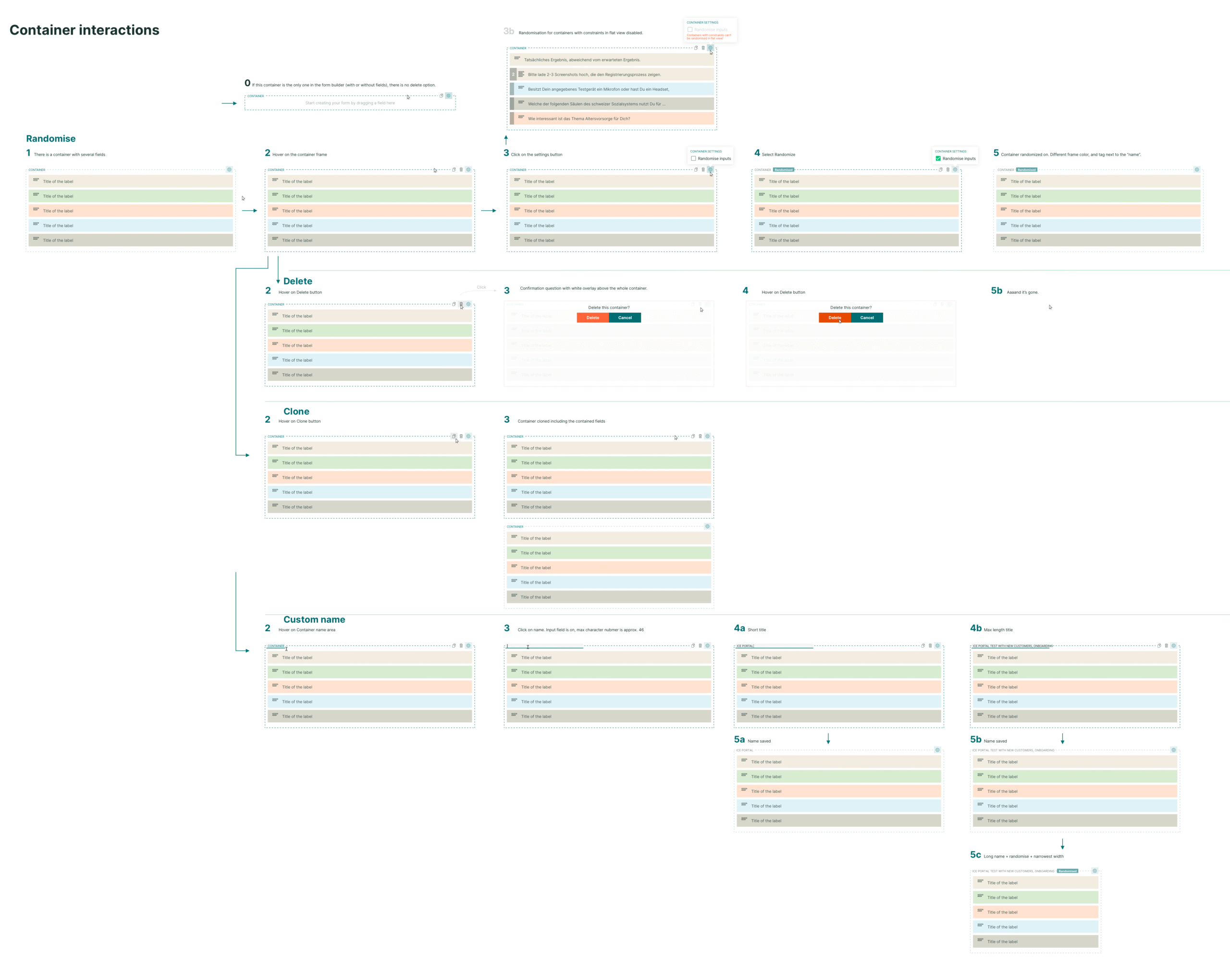
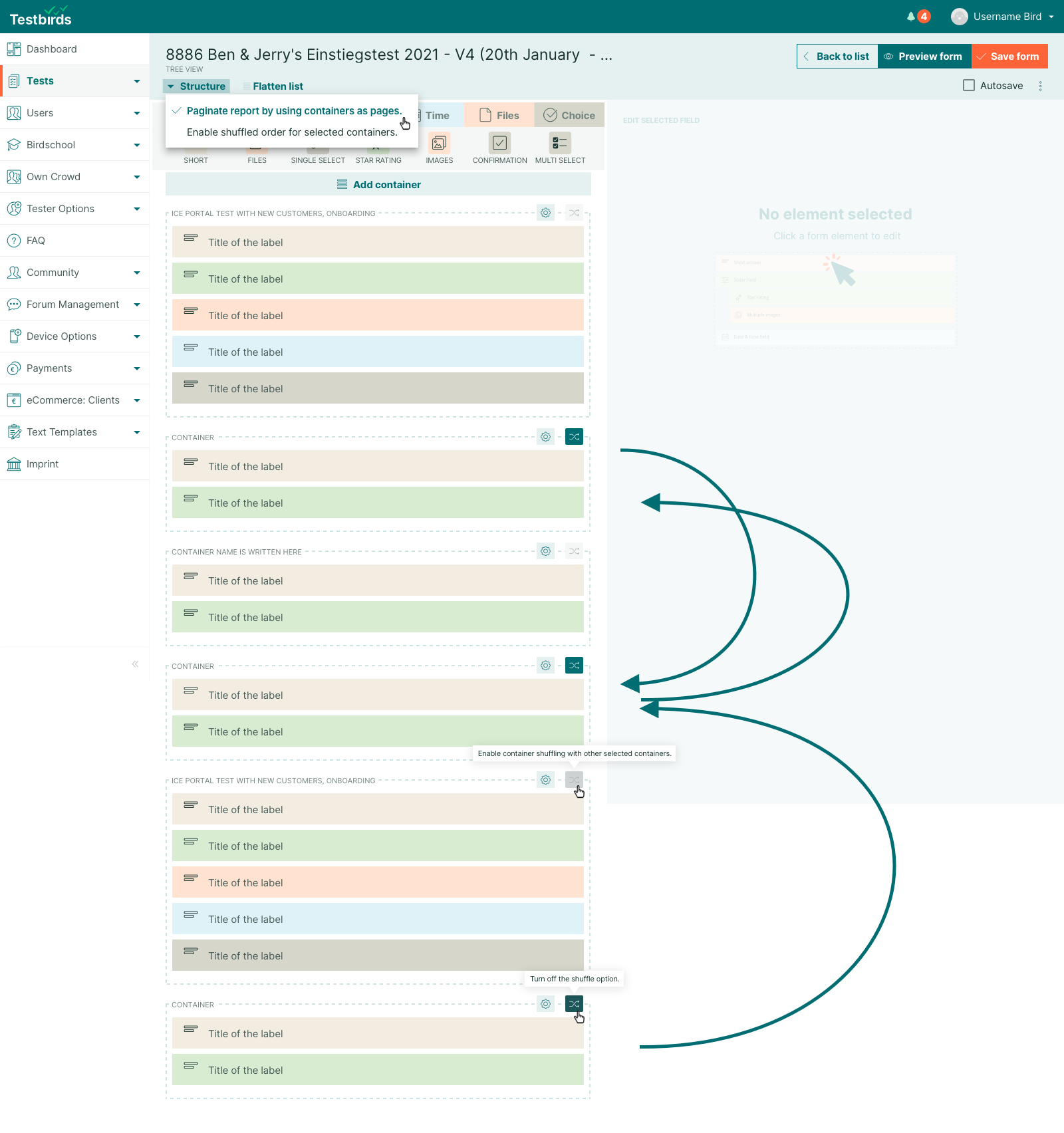
Group-Level Randomization
Allows field groups to be randomized while keeping the survey structure intact. This feature supports usability testing scenarios where varying the sequence of form sections helps uncover order-related biases and produces more nuanced, reliable research insights.
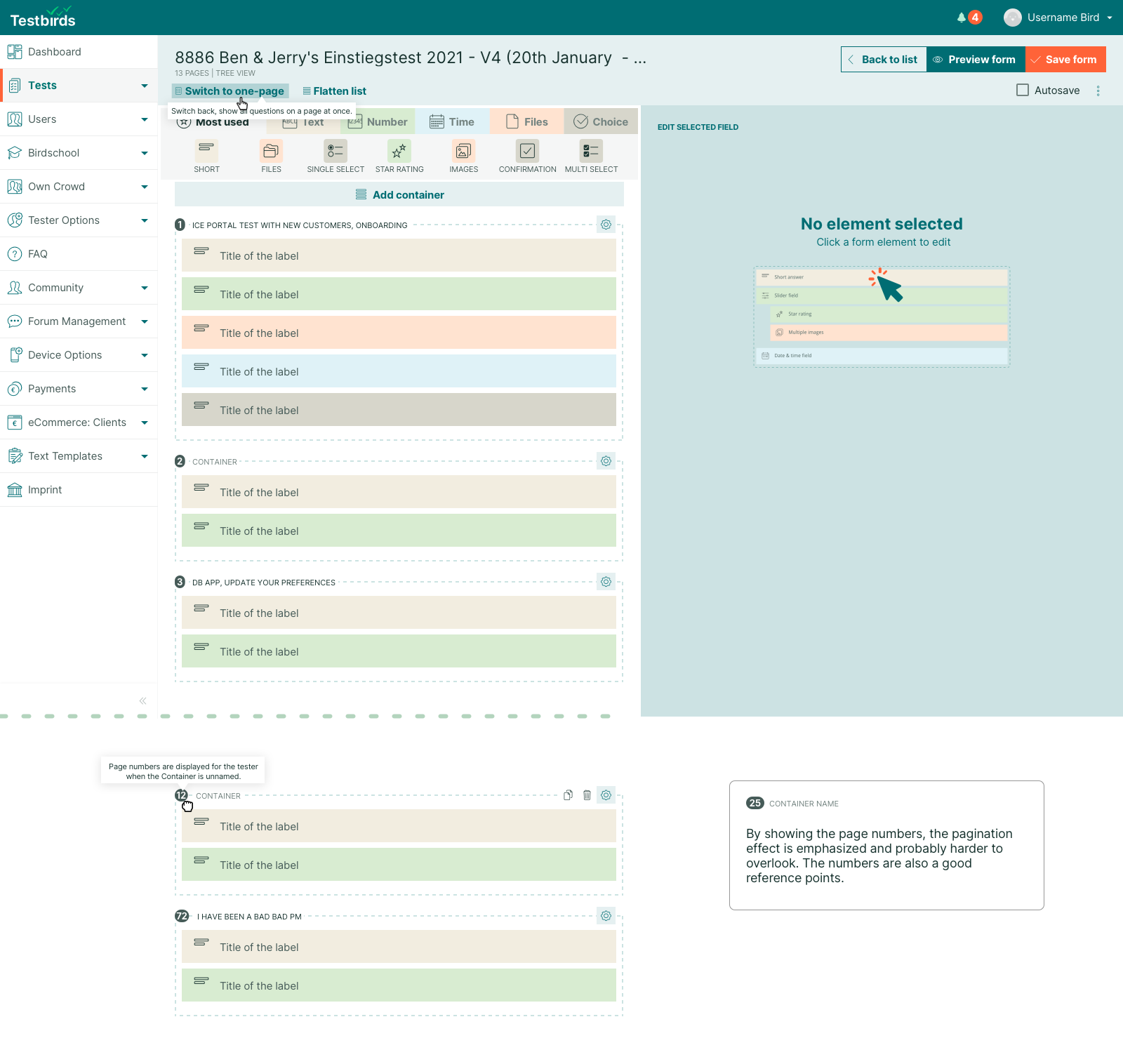
Paginating Long Surveys
Long surveys caused rendering issues, particularly on mobile. A pagination feature was added, enabling surveys to be divided into manageable sections. The editor clearly visualized page structure to aid setup.
Impact & Results
The new Form Builder significantly improved PM workflow efficiency, making it easier to manage complex tests, visualize dependencies, and reduce errors. Real-time feedback on saving progress reduced the risk of data loss, resulting in greater user satisfaction.
Key Takeaways
Regular user testing is crucial for refining complex tools.
Iterative design and implementation ensure the development of practical, user-friendly solutions.
Future-proofing the tool allows for continuous expansion and adaptability.
The redesigned Form Builder is now a scalable, efficient solution that continues to evolve with new feature enhancements, supporting PMs in delivering high-quality user testing projects.